Buying advice · Articles
What hardware runs Qwen3.8 27B? 16 GB vs 24 GB vs 32 GB
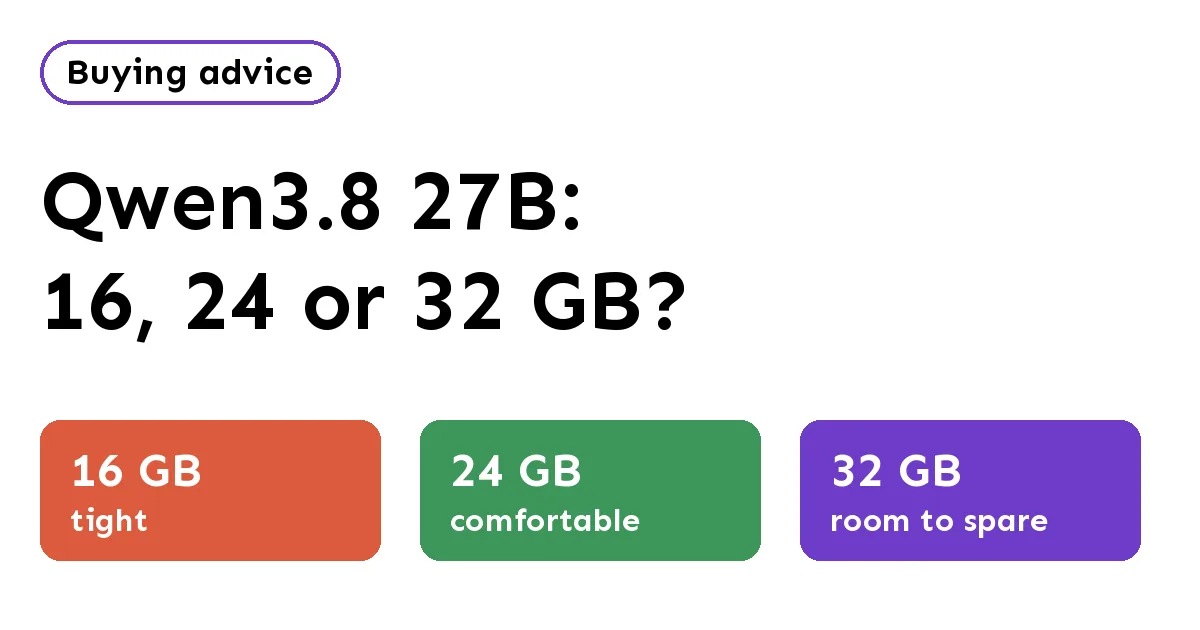
How much VRAM for Qwen3.8 27B? It is an 18 GB Q4 download in Ollama: 24 GB fits it with room, 32 GB adds Q8, and 16 GB needs a smaller quant.
- In Ollama,
qwen3.8:27b(Q4_K_M) is an 18 GB download with a 256K context window. Q8_0 is 30 GB and BF16 is 56 GB. - One user’s llama.cpp measurement on Hugging Face put Q4_K_M at 18.42 GiB at 8K context and 19.95 GiB at 32K: a comfortable fit on 24 GB.
- 32 GB is the tier for Q8_0 (a 28.6 GB file) or long contexts at Q4.
- 16 GB needs a smaller quant, such as Unsloth’s 14.3 GB UD-IQ4_XS, and leaves little room for context.
Short answer: plan on about 20 GB of VRAM. Qwen3.8 27B at Q4_K_M is an 18 GB download in Ollama and peaked just under 20 GiB at 32K context in one published measurement, so a 24 GB GPU is the comfortable choice; 16 GB works only with a smaller quant.
How much memory does Qwen3.8 27B need?
The Ollama library lists qwen3.8:27b (also latest) at 18 GB with a 256K context window and text plus image input. The Q8_0 tag is 30 GB and BF16 is 56 GB.
On Hugging Face, the ggml-org GGUF repo lists the Q4_K_M file at 19 GB, Q8_0 at 28.6 GB and BF16 at 53.8 GB. (Hugging Face counts in decimal gigabytes; the same Q4_K_M file is 17.67 GiB.) Unsloth’s repo adds smaller files: UD-IQ4_XS at 14.3 GB, UD-Q3_K_XL at 13.1 GB and UD-IQ3_S at 12 GB.
The download is not the whole bill. The context cache and runtime add more. Here Qwen3.8 is unusually kind:
“GPU memory use peaked at 18.42 GiB with an 8K context and 19.95 GiB with 32K.”
That post explains why: only 16 of the model’s 64 layers keep a growing cache, so each extra token of context costs about 64 KiB at f16. Going from 8K to 32K added roughly 1.5 GiB. These are one person’s numbers from one setup, not ours, and we have not run the model.
Can Qwen3.8 27B run on a 16 GB GPU?
Not at Q4_K_M: that file (17.67 GiB) does not fit in 16 GB of VRAM. You would need a smaller file. Unsloth’s UD-IQ4_XS is 14.3 GB, which leaves about 1.7 GB (decimal GB: 16 − 14.3) of headroom on a 16 GB card for the context cache, the runtime and anything else on the card, such as your desktop (our estimate). That is enough for short chats, not long documents. The 3-bit files fit more easily but trade away more quality.
A card like the GeForce RTX 5060 Ti 16GB (16 GB GDDR7, 448 GB/s per NVIDIA) is the entry point; see the 16 GB GPU tier and Is 16 GB enough in 2026? If Qwen3.8 27B is the main reason you’re buying, skip to 24 GB.
Is a 24 GB GPU enough for Qwen3.8 27B?
Yes. At 19.95 GiB measured for Q4_K_M with 32K context, a 24 GB card has about 4 GiB to spare. That covers the vision projector (0.59 GiB at Q8_0) and a desktop on the same card. Ollama’s 18 GB default tag is the file to start with. See the 24–32 GB GPU tier.
New 24 GB options include Intel’s Arc Pro B60 (24 GB GDDR6, 456 GB/s per Intel). Q8_0 (28.6 GB) does not fit in 24 GB.
What does 32 GB add for Qwen3.8 27B?
A 32 GB card holds the Q8_0 file (28.6 GB) with a little context, or Q4_K_M with far more context than 32K (our estimate, from the 64 KiB-per-token figure above). Two cards in this tier:
- NVIDIA GeForce RTX 5090: 32 GB GDDR7, 1,792 GB/s, 575 W total graphics power, 1,000 W system power recommended (NVIDIA).
- AMD Radeon AI PRO R9700: 32 GB GDDR6, 640 GB/s, 300 W board power (AMD).
The 5090 has far more memory bandwidth, which matters for how fast words appear (see Why VRAM matters more than GPU speed). We show no speeds because we haven’t measured any.
BF16 (56 GB in Ollama) is beyond any single card here. That’s a job for a 128 GB unified-memory box.
Which VRAM tier should you buy for Qwen3.8 27B?
| VRAM | Qwen3.8 27B file that fits | Verdict |
|---|---|---|
| 16 GB | UD-IQ4_XS (14.3 GB) or 3-bit | Tight; short context only (our estimate) |
| 24 GB | Q4_K_M (18 GB in Ollama) | Comfortable to 32K (measured by a third party) |
| 32 GB | Q8_0 (28.6 GB) or Q4 with long context | Room to spare |
Looking for something bigger? This month’s large releases need 128 GB or more; see New open models (October 2026), or browse the model finder.
More articles
Can a $600 mini PC really run local AI?
Yes, for small models, if you buy enough RAM. Here is what fits in a $599 Minisforum box, and what it can’t do.
Why VRAM matters more than GPU speed for LLMs
A faster GPU that can’t hold the model loses to a slower one that can. Here’s the one spec to read first.
Unified memory vs a GPU: Strix Halo, Mac and RTX compared
Capacity or bandwidth? Three ways to hold a model, compared on the two numbers that matter, straight from the spec sheets.
FAQ
How much VRAM do I need for Qwen3.8 27B?
About 20 GB at Q4_K_M with a 32K context, based on a measurement shared on Hugging Face (19.95 GiB). A 24 GB GPU is the comfortable choice.
Can Qwen3.8 27B run on a 16 GB GPU?
Only with a smaller quant such as UD-IQ4_XS (14.3 GB), and with a short context. The standard Q4_K_M file is too big for 16 GB.
Is 32 GB worth it for Qwen3.8 27B?
If you want the Q8_0 file (28.6 GB) or very long contexts, yes. For everyday Q4 chat, 24 GB is enough.
Keep reading
Sources
- Ollama: qwen3.8 tags (checked Oct 30, 2026)
- Hugging Face: ggml-org/Qwen3.8-27B-GGUF files
- Hugging Face: measured VRAM for Q4_K_M (discussion #6, posted Oct 12, 2026; run Oct 9)
- Hugging Face: unsloth/Qwen3.8-27B-GGUF files
- NVIDIA: GeForce RTX 5060 family specs
- NVIDIA: GeForce RTX 5090 specs
- AMD: Radeon AI PRO R9700 specs
- Intel: Arc Pro B60 specifications