Explainer · Articles
Why VRAM matters more than GPU speed for LLMs
A faster GPU that can’t hold the model loses to a slower one that can. Here’s the one spec to read first.
We earn from qualifying purchases via affiliate links. Disclosure.
- First check that the model file fits in VRAM, with room left for context.
- When it doesn’t fit, part of the model moves to system RAM and runs more slowly.
- Once it fits, memory bandwidth, not raw compute, sets how fast words appear.
Gamers shop by frame rates. Local AI shoppers should shop by a different number: how many gigabytes of memory sit on the card. Get that wrong and the fastest GPU in the store turns into a bottleneck.
Fit comes first
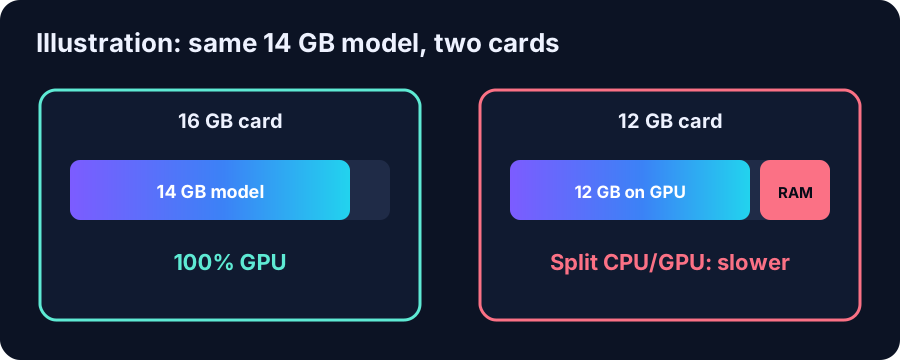
Ollama’s FAQ describes three outcomes after a model loads: 100% GPU, 100% CPU, or a split such as 48%/52% CPU/GPU when the model is “loaded partially onto both the GPU and into system memory”. The split works, but every layer left in system RAM runs at system-RAM speed.
So the first question for any card is simple. Does the download fit? gpt-oss 20B is 14 GB in Ollama. On a 12 GB card it can’t fit fully. On a 16 GB card it fits, with little room to spare (our estimate).
Then bandwidth sets the pace
“On decode, the model weights are loaded for every token, which is generated via much less-expensive vector-matrix multiplication.”
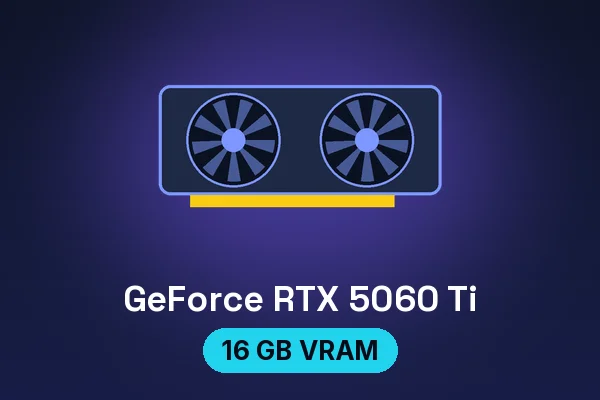
That is why AI people talk about memory bandwidth. NVIDIA lists the RTX 5060 Ti at 448 GB/s and 16 GB. A rough rule that follows from the quote: the more gigabytes the model reads per word, the fewer words per second. We won’t turn that into a tokens-per-second number without measuring it.
Context eats VRAM too
The model file is not the whole bill. The context cache grows with the conversation. Ollama defaults to a 4,096-token context and lets you raise it, and it can quantize the cache: q8_0 uses “approximately 1/2 the memory of f16”, per its FAQ. That’s why our tier pages budget 1–4 GB of headroom above the download (our estimate).
What to do with this
- Pick the model first in the model finder.
- Buy the card whose VRAM holds it with headroom. A 16 GB card covers 20B-class models; 24–32 GB covers 27B–35B models.
- Only then compare speed specs between cards that fit.
Hardware in this article
ASUS Dual GeForce RTX 5060 Ti 16GB OC
Price shown at Amazon
Sold at Amazon.
Check price at Amazon (opens in a new tab)
ASRock Challenger Intel Arc B580 12GB
$329.99 Newegg · checked Oct 27, 2026, about 12:35 PM CT
Sold by Newegg, seen on the product page
Check price at Newegg (opens in a new tab)
ASRock Intel Arc Pro B60 Creator 24GB
Price shown at Amazon
Sold at Amazon.
Check price at Amazon (opens in a new tab)More articles
Can a $600 mini PC really run local AI?
Yes, for small models, if you buy enough RAM. Here is what fits in a $607 Minisforum box, and what it can’t do.
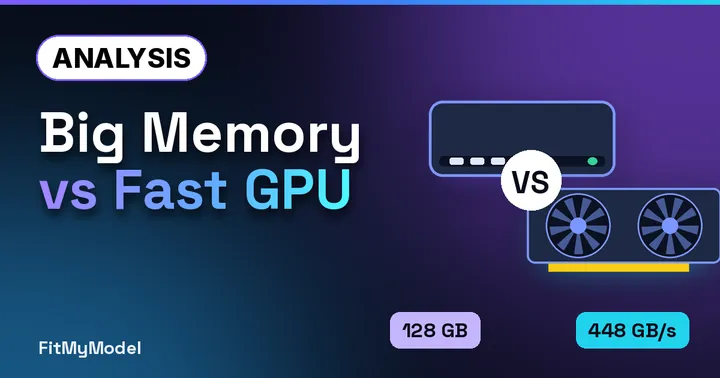
Unified memory vs a GPU: Strix Halo, Mac and RTX compared
Capacity or bandwidth? Three ways to hold a model, compared on the two numbers that matter, straight from the spec sheets.

Is 16 GB enough for local AI in 2026?
16 GB of VRAM is the new sweet spot. 16 GB of system RAM alone is the bare minimum. Here’s where the line falls.
FAQ
What happens if a model doesn’t fit in VRAM?
Runtimes such as Ollama split it between the GPU and system memory (shown as a CPU/GPU percentage in ollama ps). It still runs, but slower.
Is a faster GPU always better for local AI?
Only among cards that can hold the model. Generating each token is memory-bound, so VRAM size and memory bandwidth matter more than raw compute.